Follow Gety updates and improvements.
v0.6.3
September 24, 2026
Major Update
Gety 0.6.3 is here! This release adds support for 10 more AI apps, lets you find long numbers by their last few digits, and starts up faster. Give it a try!
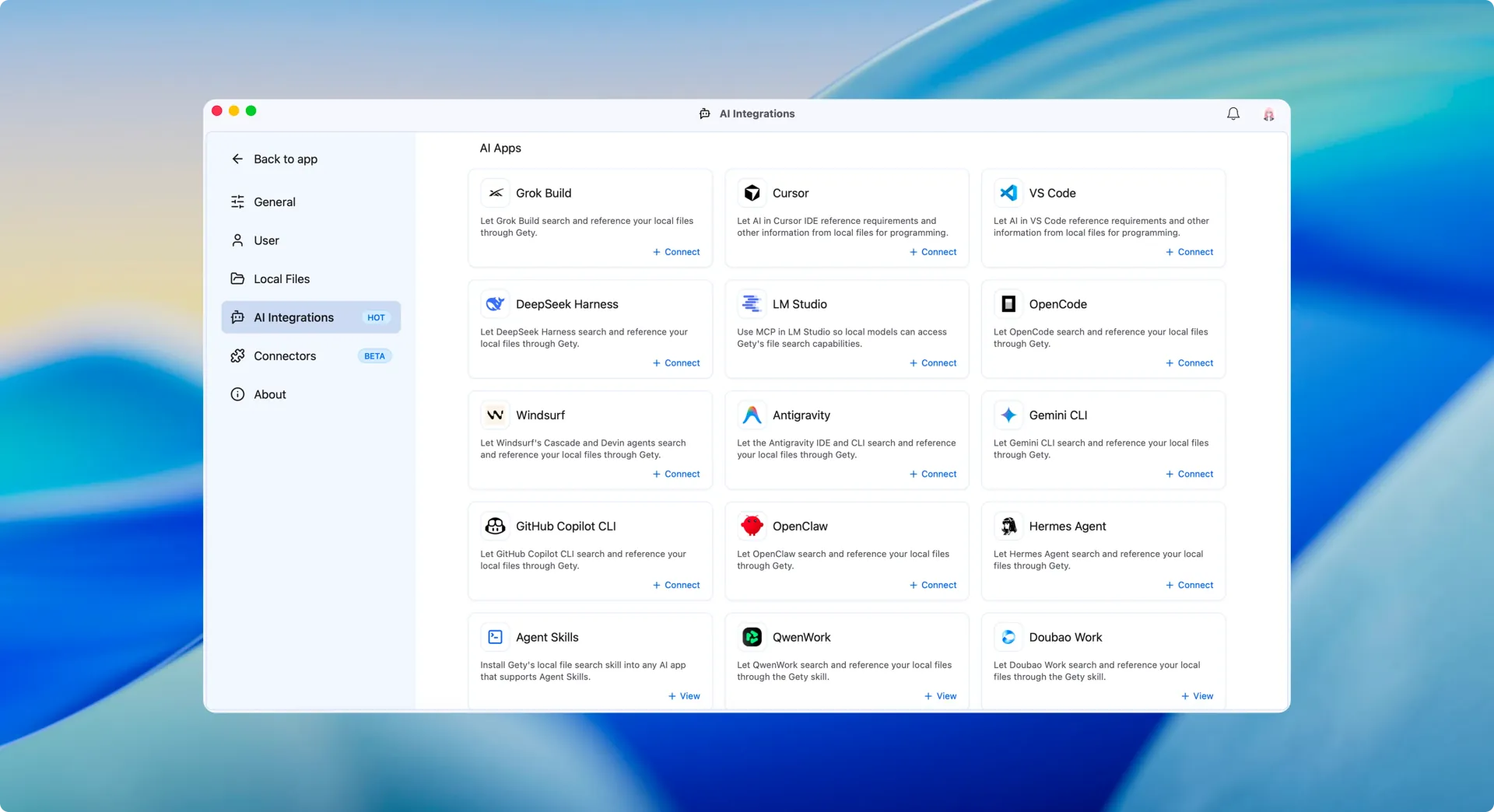
Connect these AI apps with one click so they can search and read your local files through Gety:
Codex has also been upgraded from manual setup to one-click integration. When Gety writes to the Codex and Grok Build config files, your existing comments and formatting are kept.
There are also three new cards: Agent Skills, QwenWork, and Doubao Work. Open a card, copy the prompt, and send it to your AI assistant — it will install Gety’s local file search skill on its own.
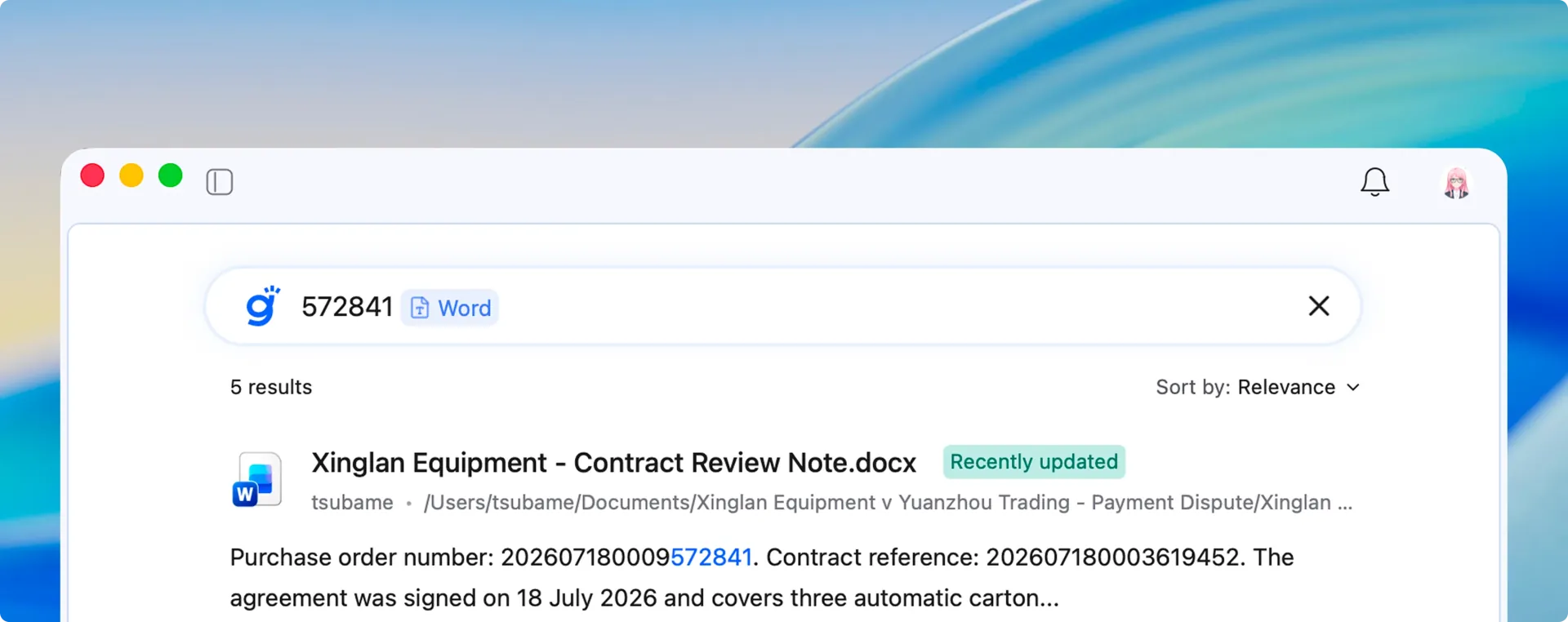
Long numbers such as order numbers, tracking numbers, and customs declaration numbers used to require the full number to be found. Now you can type just the last few digits to find files that contain them.
Note: After you upgrade, Gety updates your existing indexes in the background to support this. Until it finishes, some older files may not yet match by their last digits.
Ctrl and scroll the mouse wheel to zoom image and PDF previewsv0.6.2
September 16, 2026
v0.6.1
September 15, 2026
Major Update
Gety 0.6.1 is here! This release adds in-file search, folder-path filters, and OpenCode integration, along with improvements to everyday use. Give it a try!
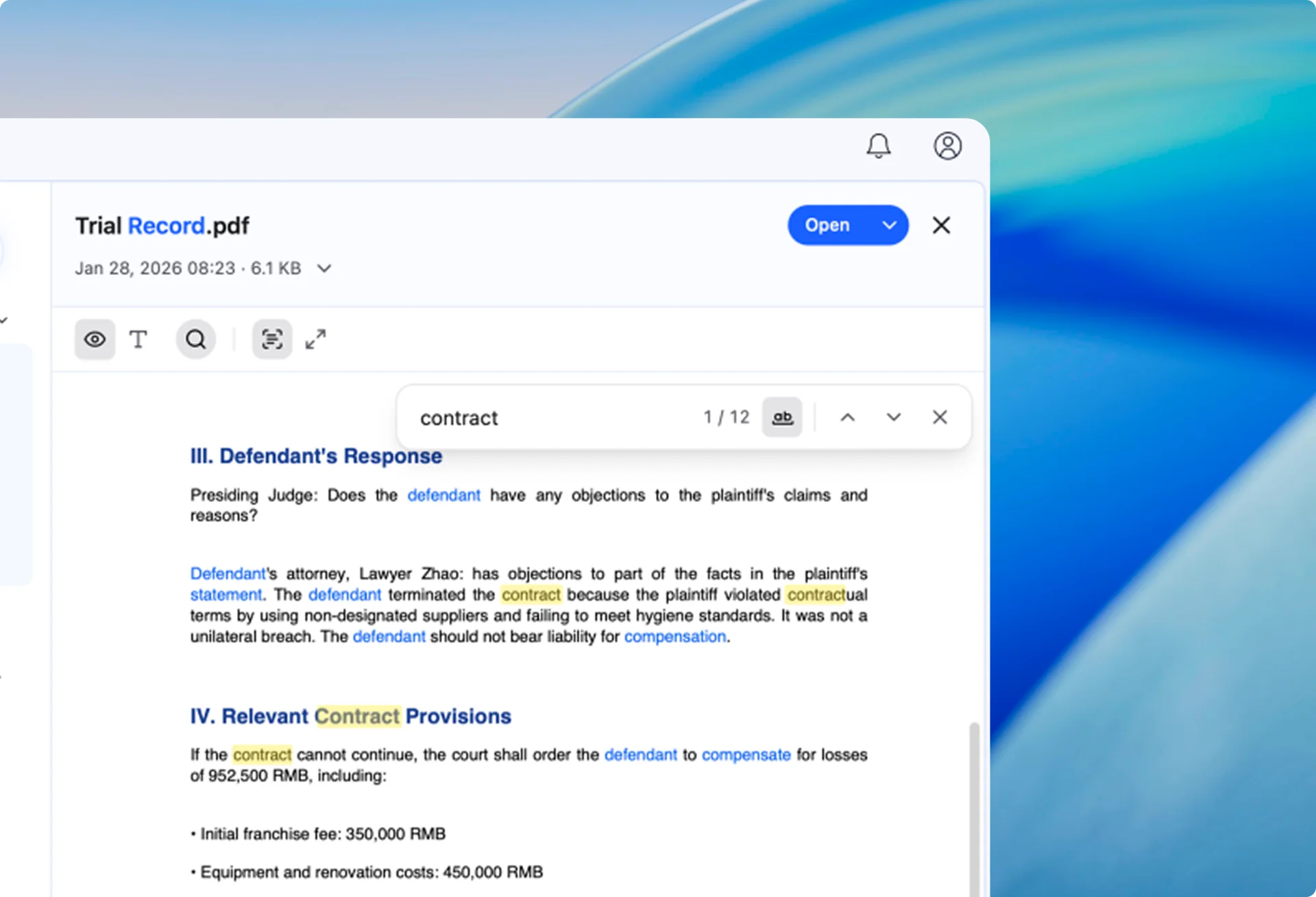
While previewing a file in Gety, press Ctrl + F (Cmd + F on macOS) to find text, see the match count, and jump to the previous or next match without opening the original file. Searches match a complete phrase by default; turn off exact matching to search by individual words.
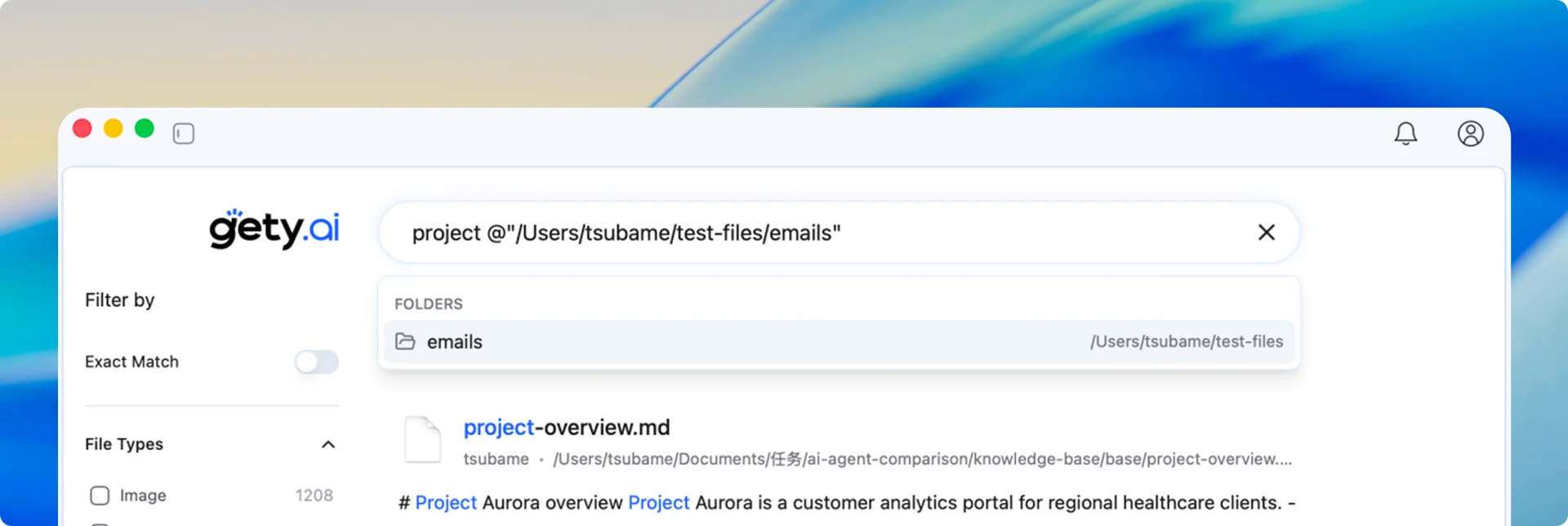
Typing @ followed by a folder name is already a quick way to limit your search. If you have that folder open in your file manager, you can now copy its full path and paste it after @, saving you from finding and selecting the folder again.
Use a partial or full path to find a folder and limit your search to it.
v0.5.7
August 29, 2026
Major Update
Gety 0.5.7 improves the indexing experience, runs on more computers, and makes model downloads more reliable. Give it a try!
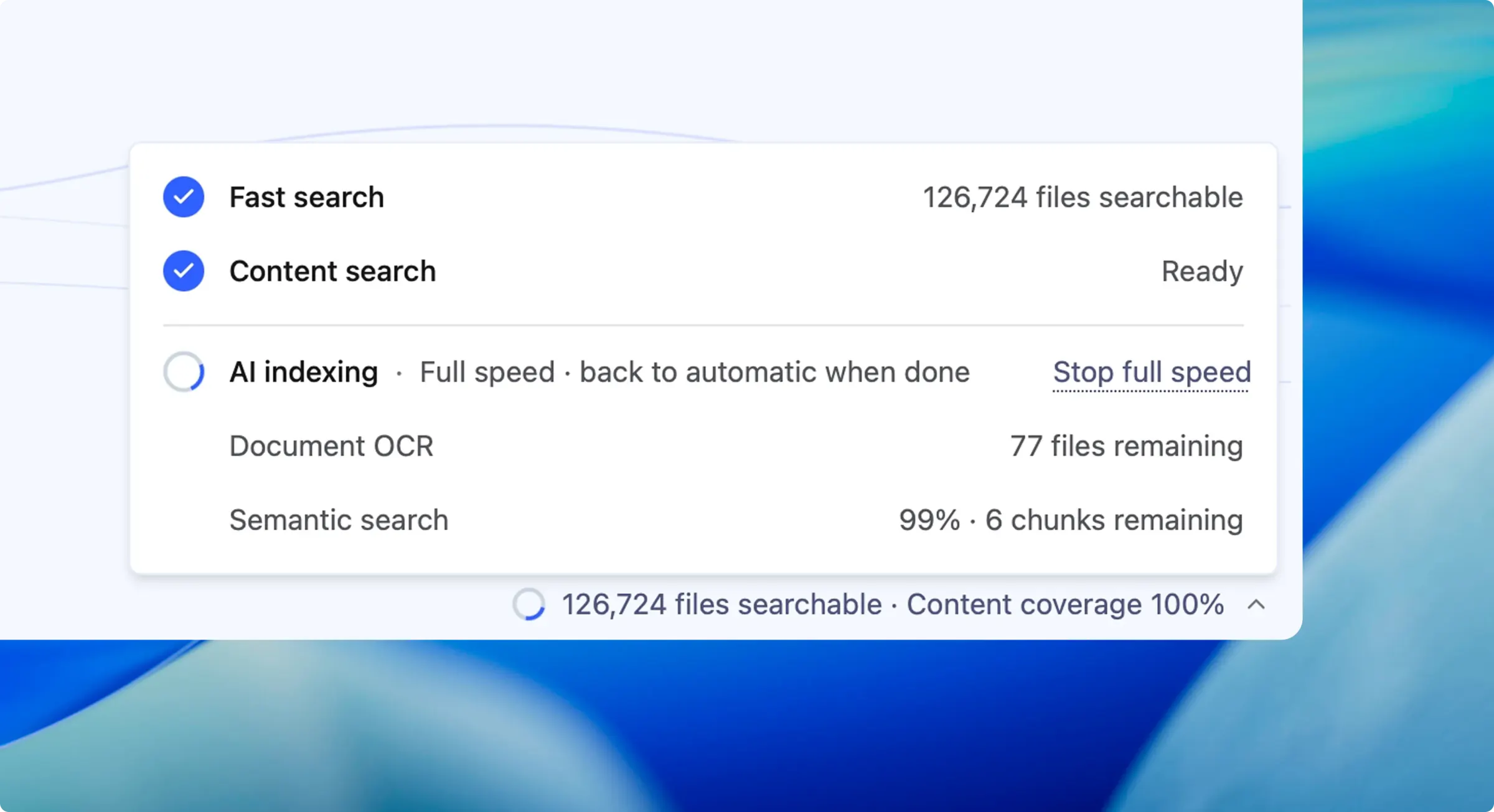
Indexing can take time. With a large collection, the first run can take hours—or even longer—and may slow down your computer while you work.
Gety now offers three indexing modes:
Files that have already been indexed remain searchable in every mode.
We lowered Gety’s processor requirements, so it now runs on many older computers that were previously unsupported. If compatibility issues prevented you from installing or using Gety before, give it another try.
Model downloads now recover more reliably from network problems, with automatic retries and alternate download routes. You can also restart a failed download, configure a proxy, and test the connection in Settings.
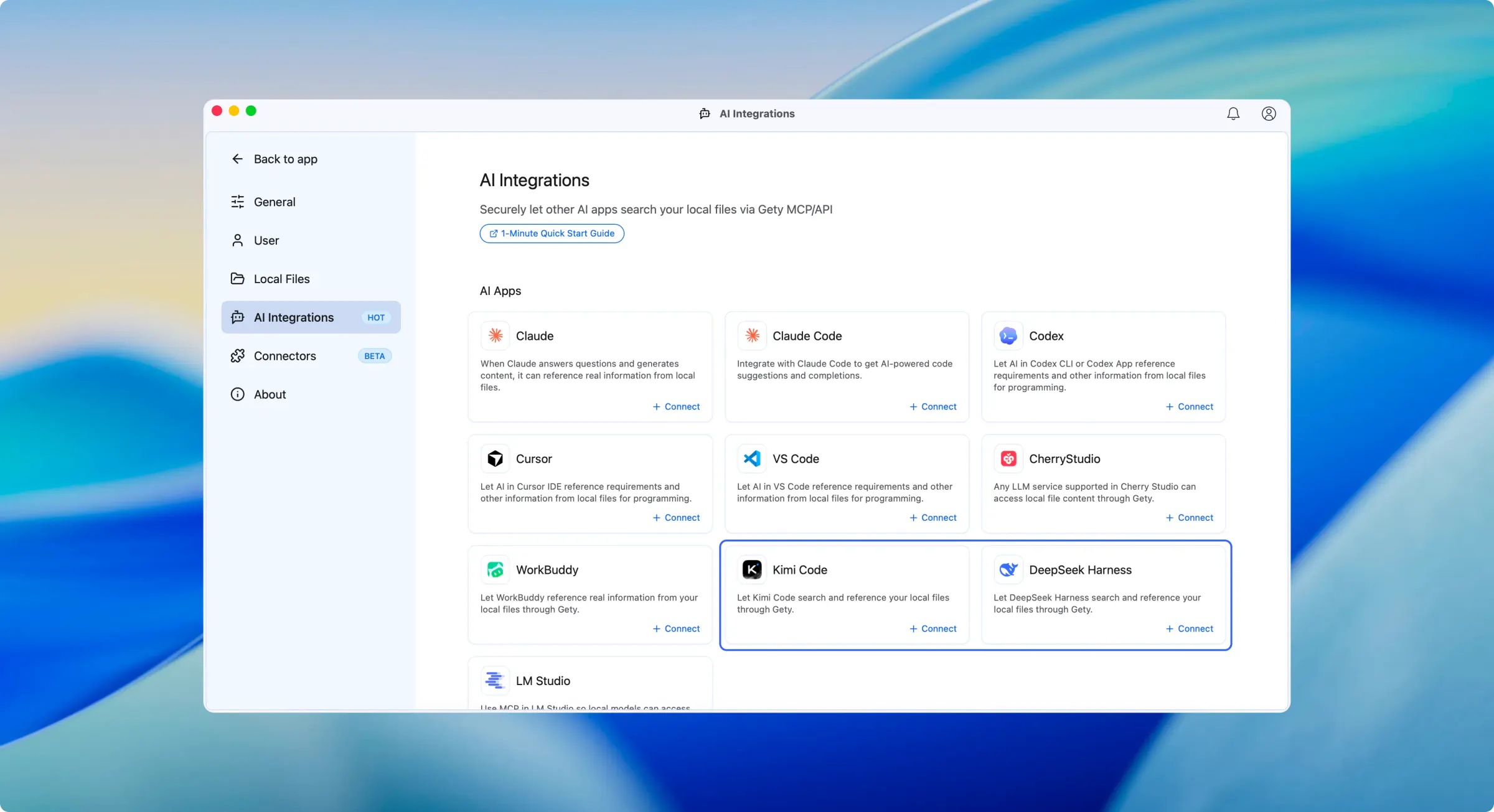
You can now connect Kimi Code and DeepSeek Harness to Gety with one click, allowing them to search and read your local files.
v0.5.5
July 31, 2026
Gety 0.5.5 adds WorkBuddy integration and makes file management more convenient. This update also improves search input and crash reporting, and fixes NVIDIA driver compatibility, file copying, and startup issues.
v0.5.4
July 21, 2026
Gety 0.5.4 focuses on stability and recovery. This update makes hardware-accelerated indexing more reliable, improves resilience during startup and document extraction, and fixes several crashes and Windows-specific issues.
v0.5.3
July 16, 2026
Major Update
Gety 0.5.3 adds Intel NPU acceleration, improves hardware acceleration performance on NVIDIA GPUs and Apple silicon, and brings more control over how different file types are indexed, scheduled folder updates, and a broad set of preview and stability improvements.
v0.5.2
June 30, 2026
Major Update
Gety 0.5.2 is here, and it’s a big one. The Connector everyone’s been waiting for is officially live, and GPU acceleration lands right alongside it. Here’s the full rundown.
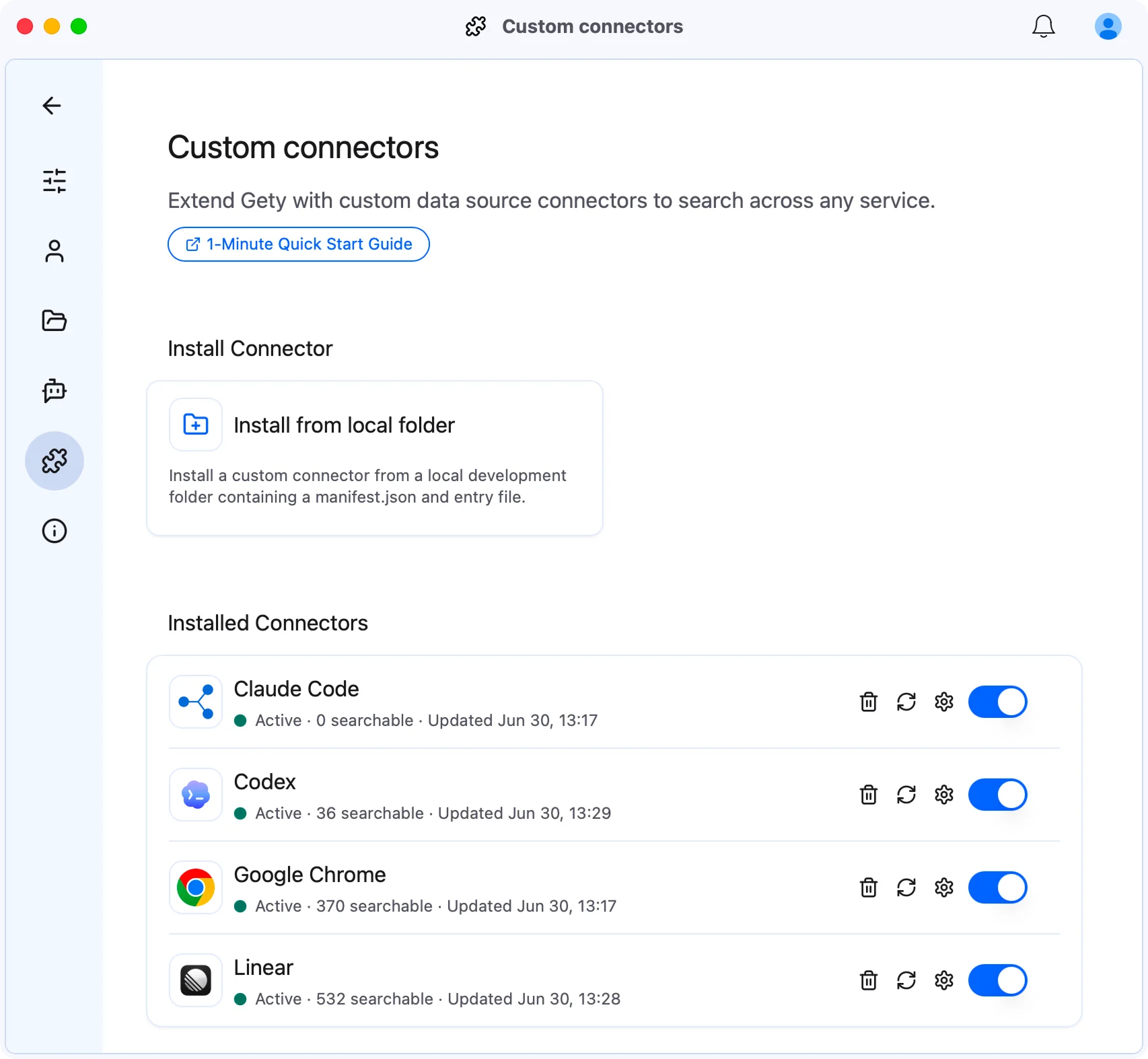
Gety indexes local files by default, but work-related data is often scattered across places like Linear issues, Chrome browsing history, and your company’s internal systems. Connectors bring these sources into Gety, making everything searchable from a single interface.
For example, with the Linear connector installed, you can search Linear issues directly in Gety, with no app switching.
Three official connectors are available out of the box:
To connect a source that isn’t covered yet, you can build your own connector. A connector is essentially TypeScript that runs locally, so a small script is enough to turn any source into searchable, AI-readable content. For more usage details and a guide, see the docs: docs.gety.ai/connectors.
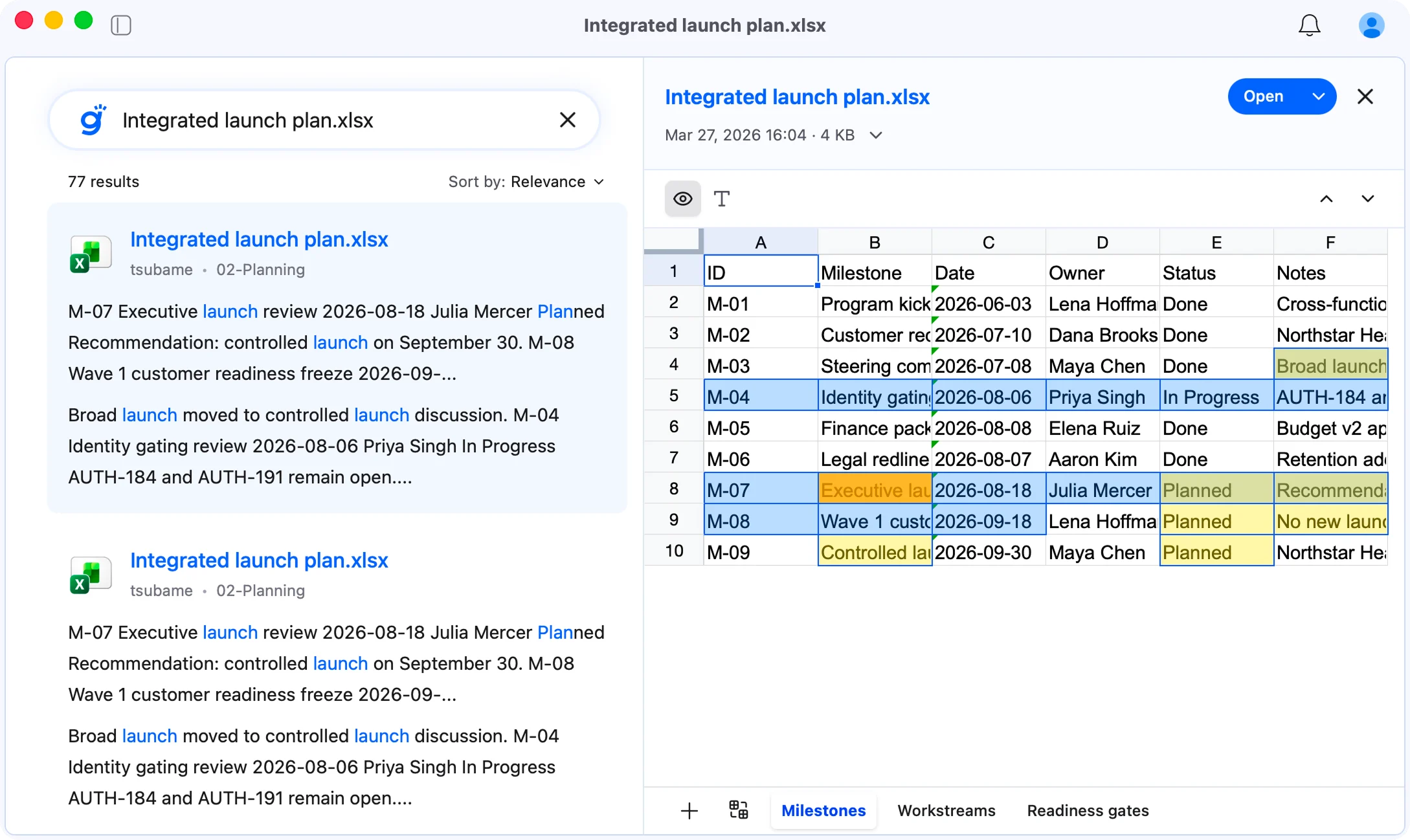
Spreadsheets can now be previewed directly in Gety. Excel and other spreadsheet files open with their original layout, preserving rows, columns, and multiple sheets with clean rendering, so there’s no need to switch to another app to view them.
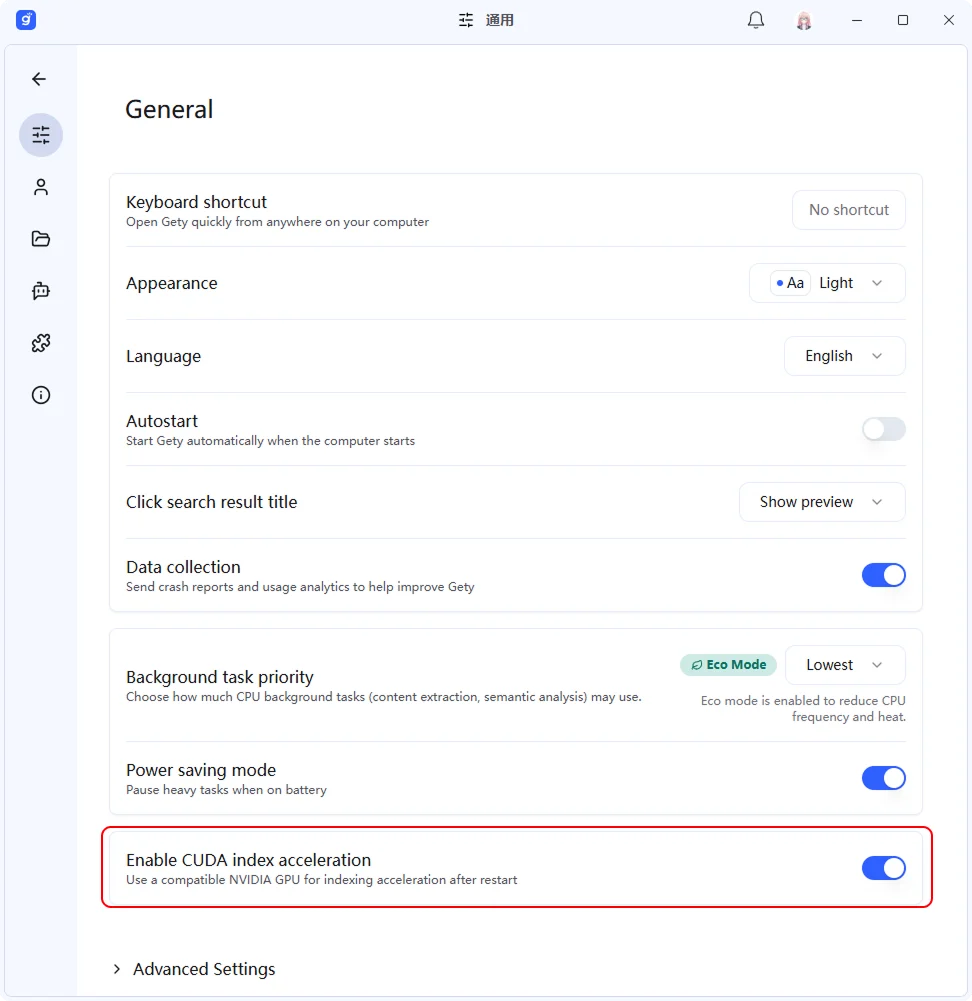
On Windows and Linux devices with an NVIDIA GPU, Gety can offload OCR and semantic search computation to the GPU. The feature is off by default and can be enabled under Settings → General → Advanced; the required components download automatically on first use. Once enabled, indexing for these two tasks can run up to 5x faster than on the CPU.
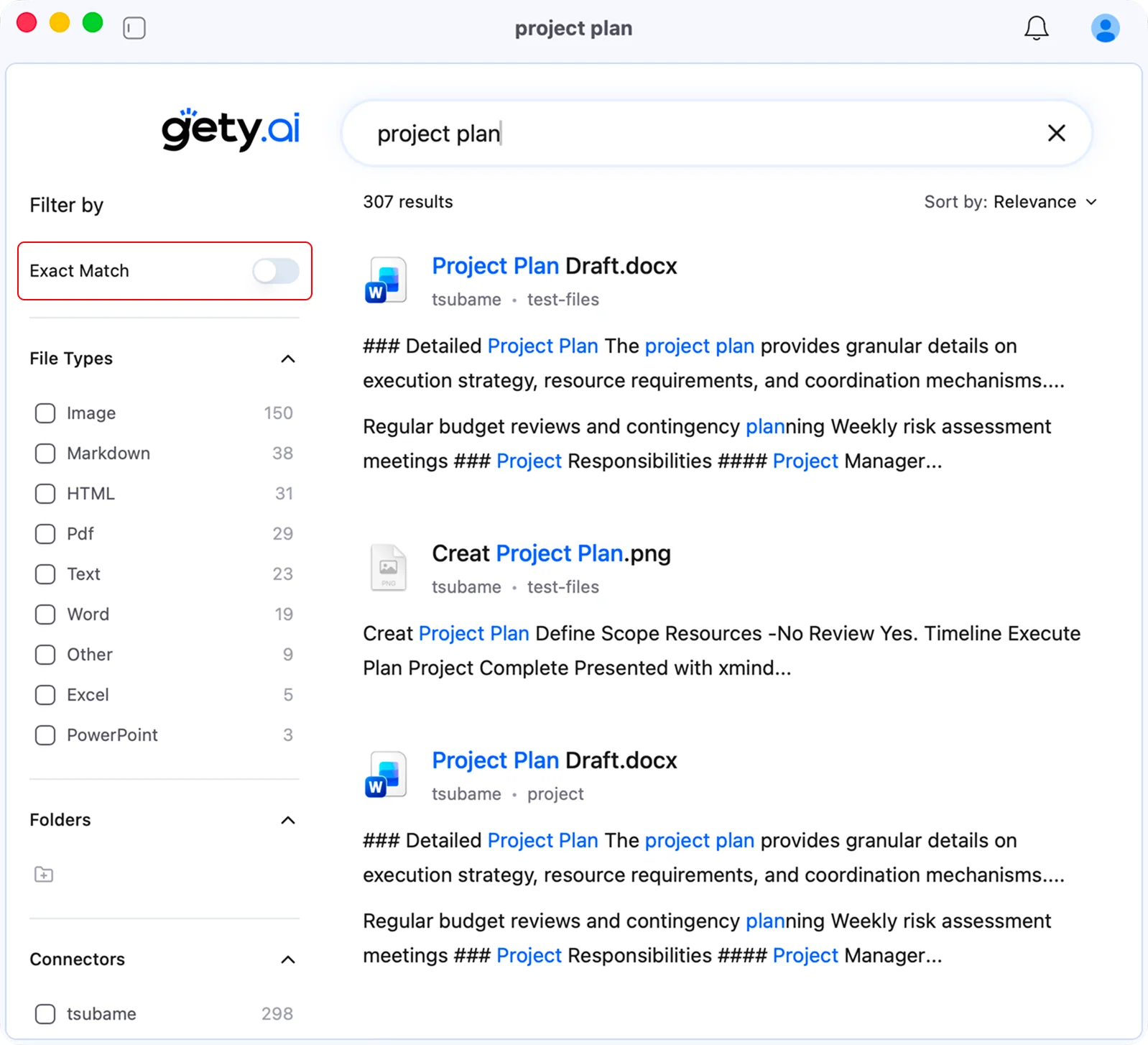
For precise lookups rather than fuzzy, approximate matches, enable the exact match toggle. Search then returns only entries that contain your input exactly, suitable for cases such as proper nouns, file names, and fixed phrases.
v0.5.1
May 19, 2026
Major Update
Gety 0.5.1 is here! This release focuses on polishing the search experience: local search is smoother from typing and filtering to previewing and sharing, while AI can use Gety to read the relevant pages in long documents more precisely.
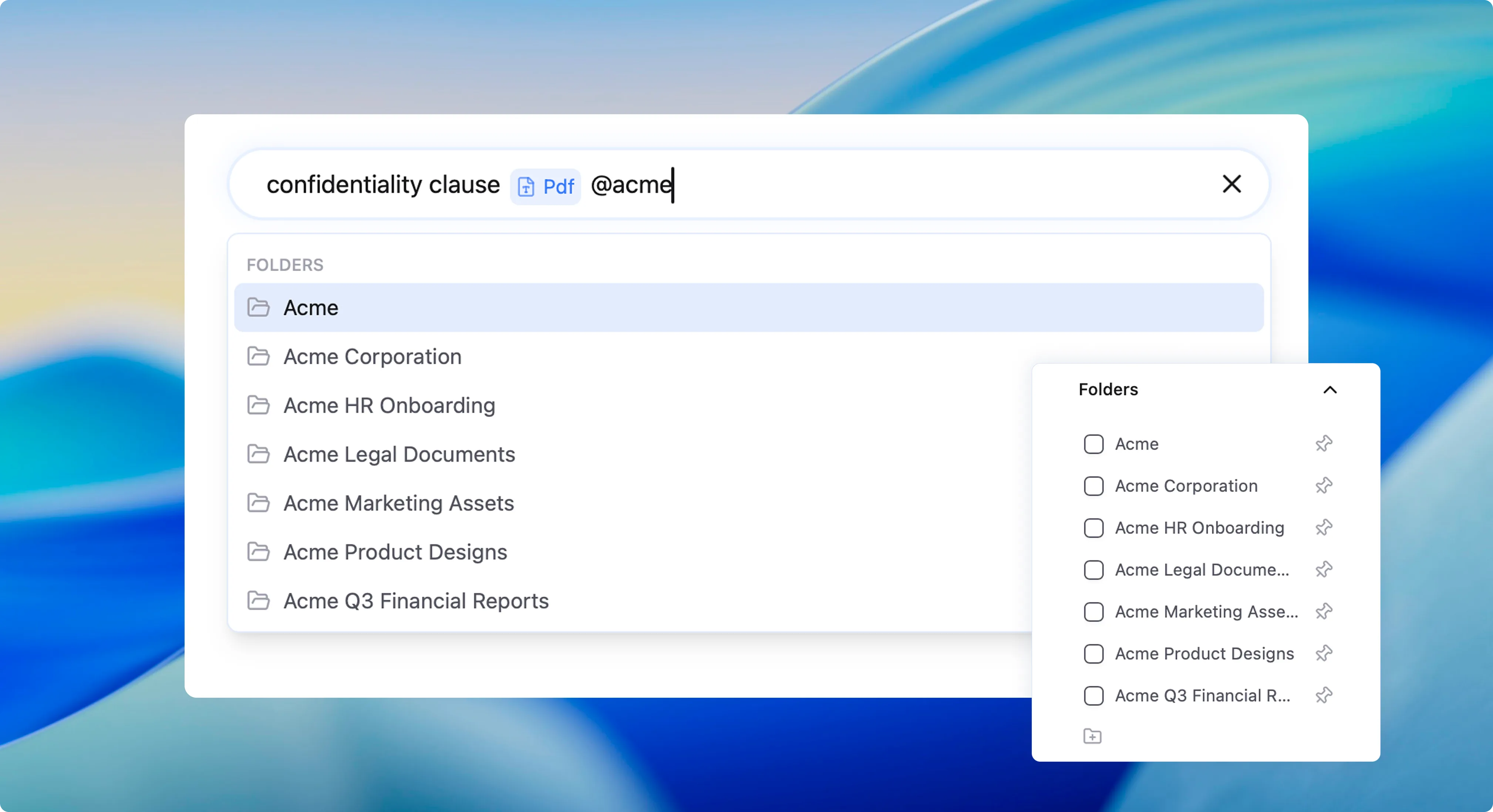
You can type @ in the search box to quickly limit file type, folder path, time range, and other filters. For example, if you want to find a PDF contract in the Acme project folder, you can search “confidentiality clause @PDF @Acme” to find the right file faster.
These filters appear directly in the search box, like part of your keywords. You can see the current scope and file type at a glance, and remove or adjust them anytime.
If there are folders you search often, you can pin them in the filter panel. The next time you need to narrow the search scope, those frequent folders are easier to find.
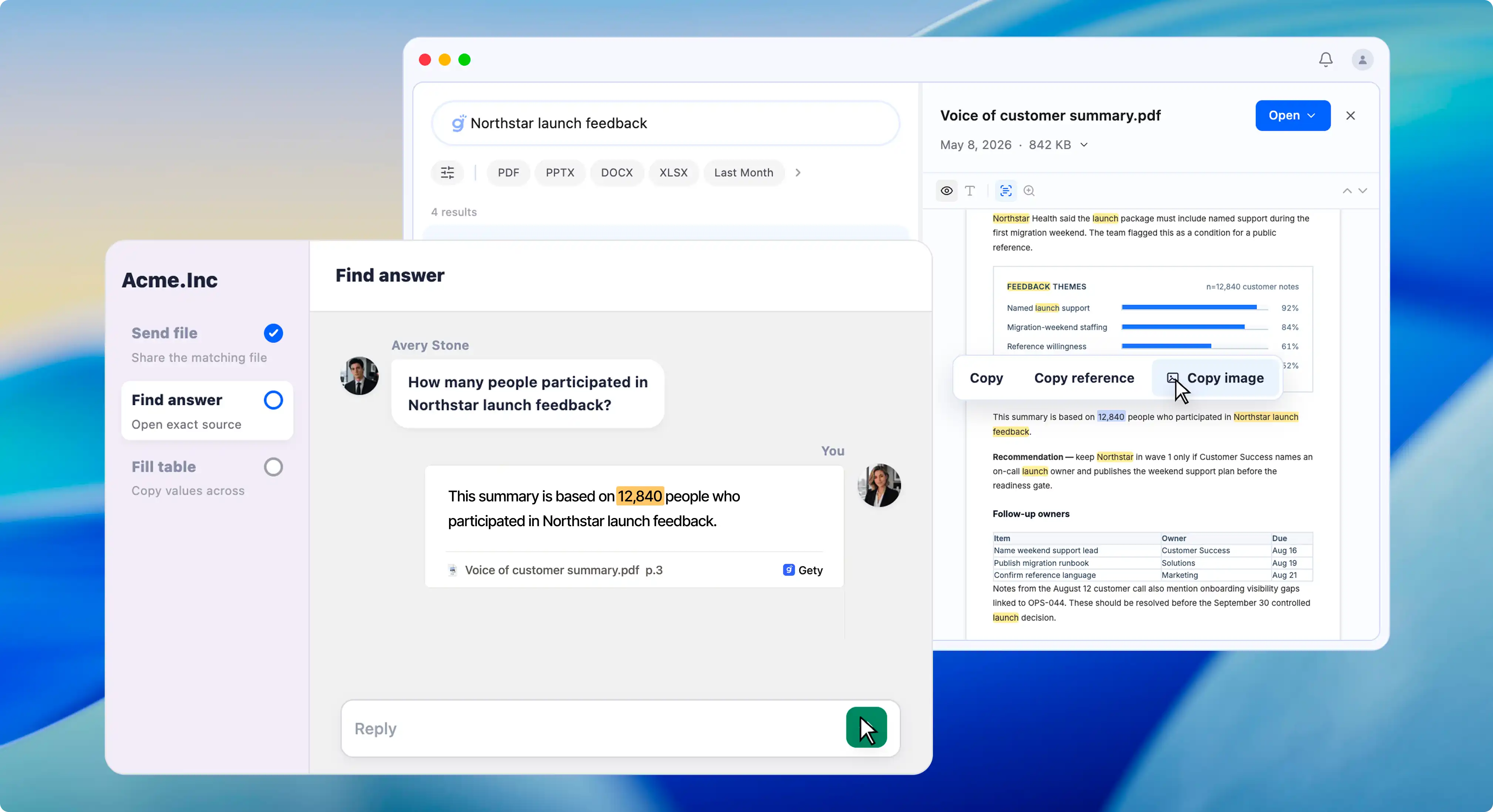
After finding something in Gety, you can select text directly in preview and copy the key information out. You do not need to open the original file and find the same place again.
This is especially useful when working with teammates. For example, if you find a “confidentiality clause” in a contract, you can copy the text directly; when sharing, you can also use “Copy as quote” or “Copy as image” to send the content together with the file name and page number. The file name and page number naturally become part of what you share, making it more trustworthy and easier to discuss.
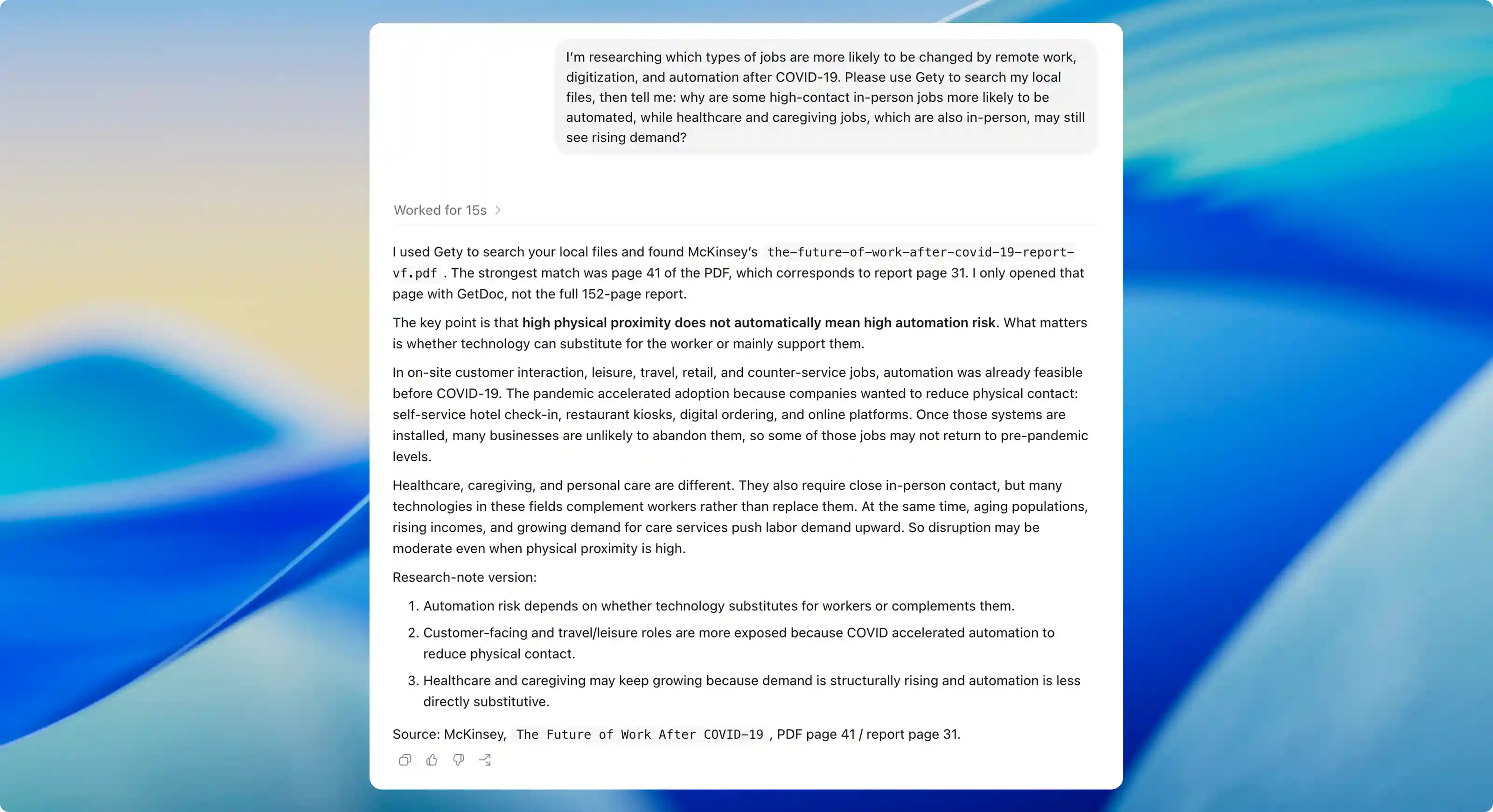
When AI uses Gety to look up information, it can now read a specific page or page range from a document, instead of reading the entire file every time.
This is especially useful for long documents. For example, if a search result matches page 87 of a PDF with hundreds of pages, AI can read content around that page to answer the question. The context is more precise, faster, and less likely to be distracted by unrelated parts of the document.
v0.5.0
April 3, 2026
Major Update
Gety 0.5.0 is a milestone release. We’re bringing Gety to Linux for the first time, redesigning the onboarding experience from scratch, adding OCR highlighting in preview, and replacing OS notifications with beautiful custom ones, along with many performance and stability improvements under the hood.
Gety now runs on Linux! Available as .deb and .AppImage packages, tested on Ubuntu 24.04, Fedora 43 KDE, and ArchLinux GNOME. This is an experimental release, and we’d love your feedback.
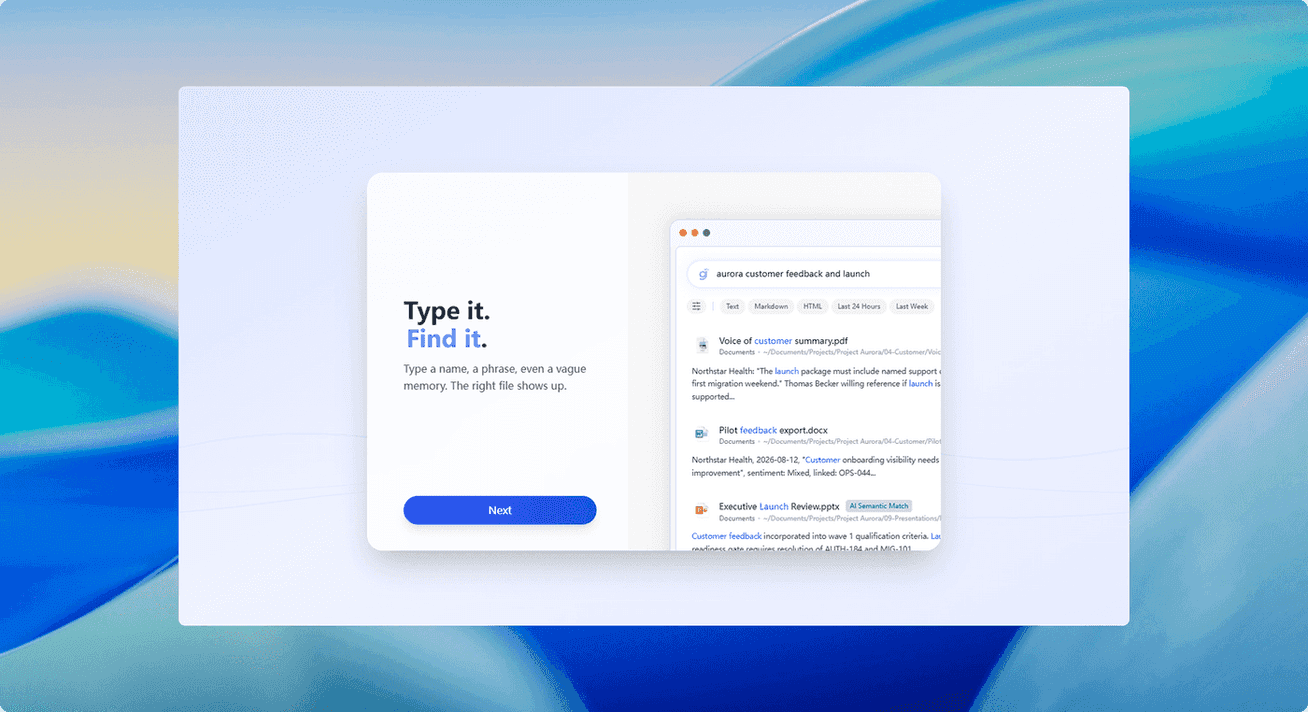
A brand-new 3-step scope-first wizard with an animated search demo, streaming indexing, and a Getting Started Guide to help you hit the ground running.
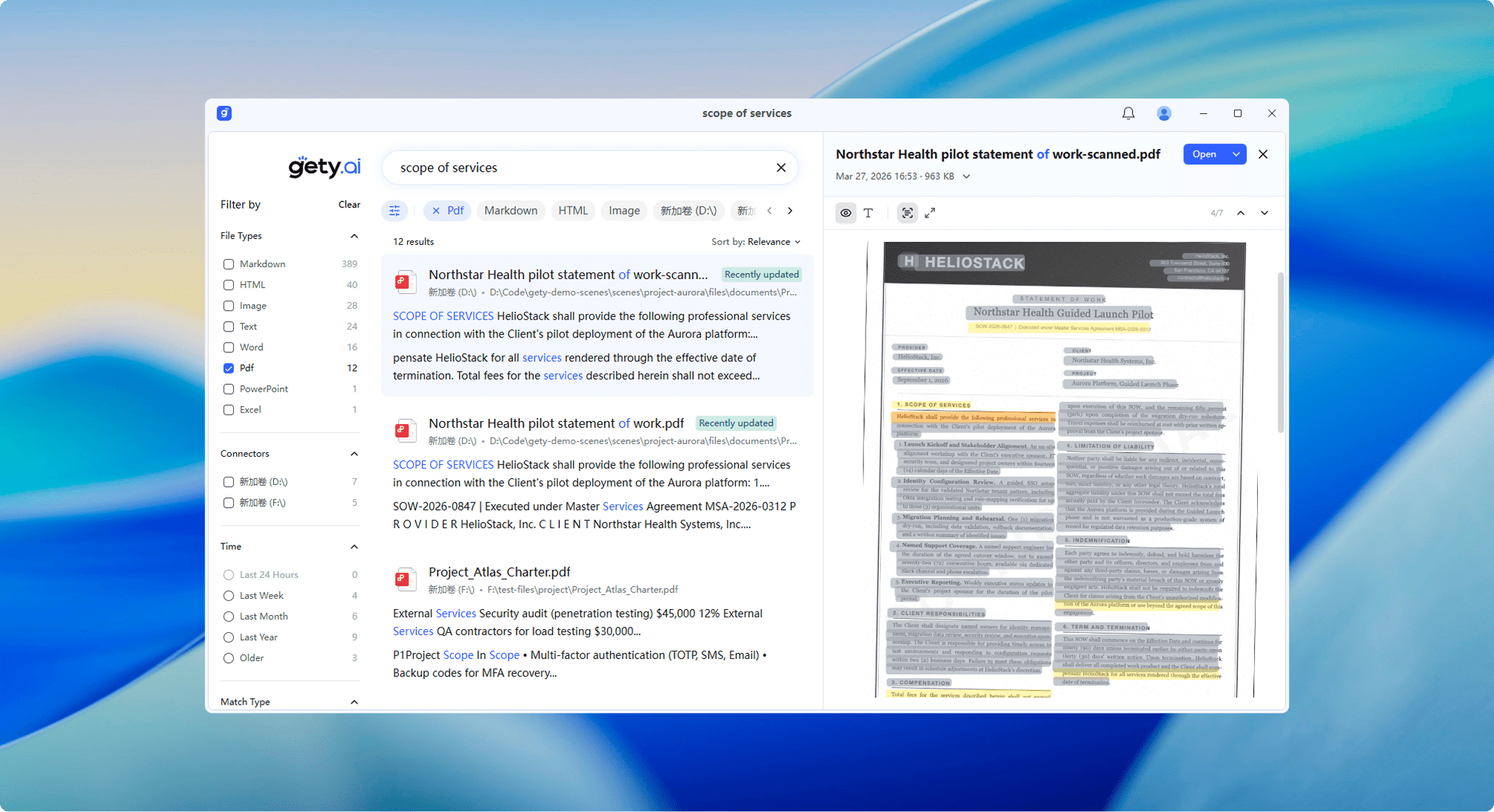
Search keywords are now highlighted directly on OCR text blocks in image and PDF previews, with arrow-key navigation between matches.
Beautiful custom in-app notifications that are always visible. No more missed alerts hidden by OS notification settings. Styled with rounded corners and smooth animations.
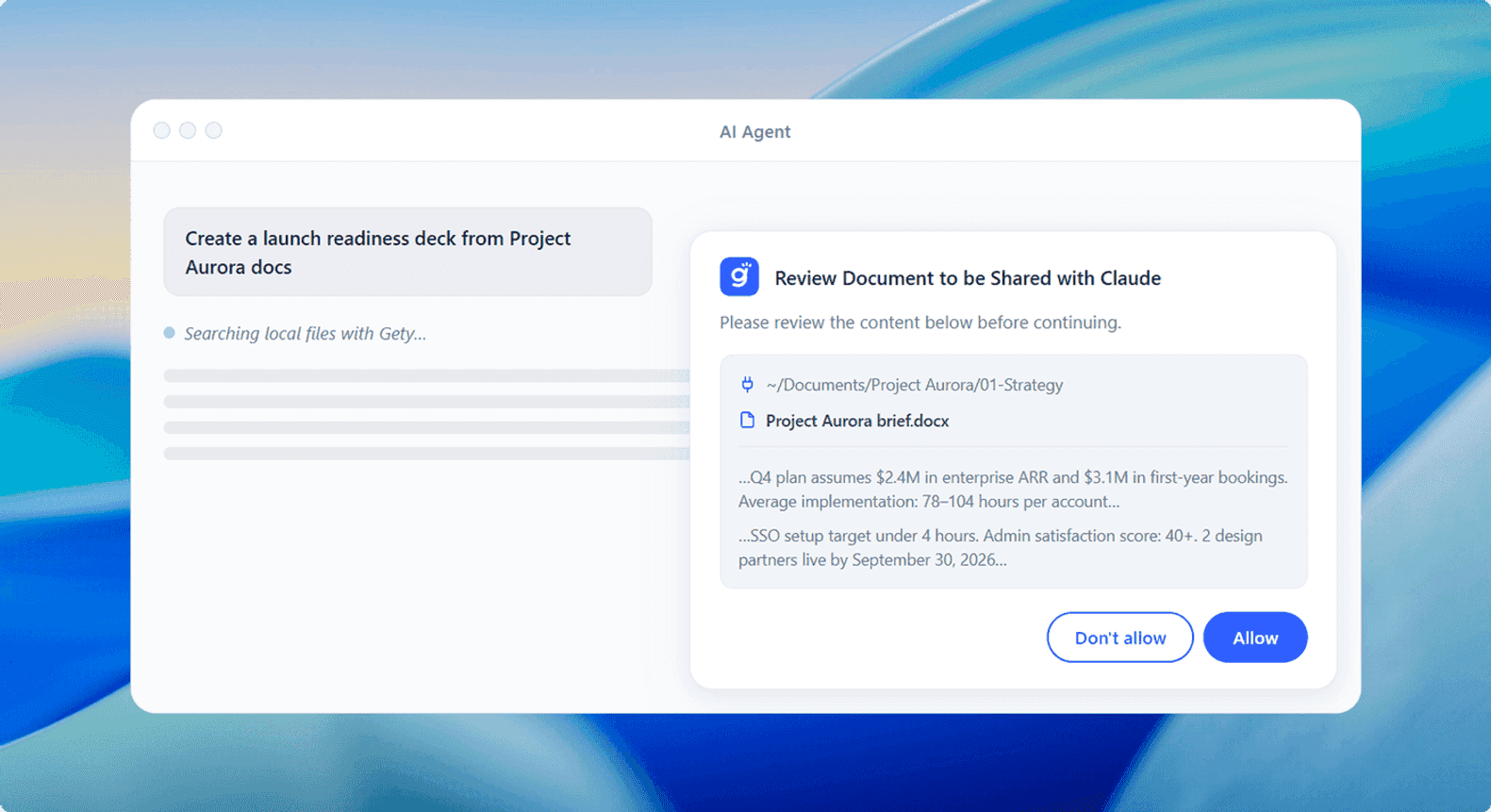
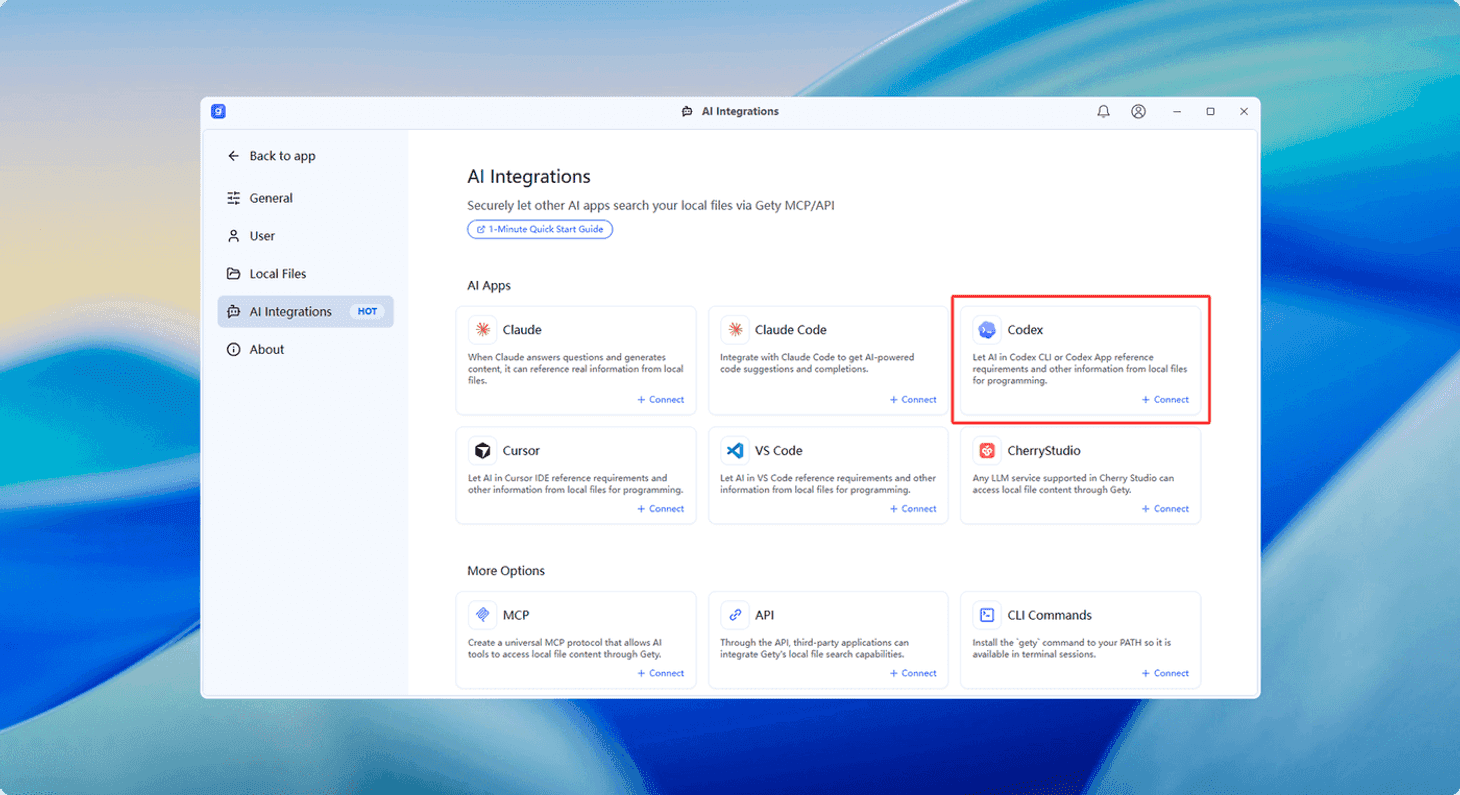
One-click integration with OpenAI Codex CLI. Codex can now search your local files through Gety, just like Claude Code.
v0.4.6
March 12, 2026
v0.4.5
February 22, 2026
v0.4.3
February 11, 2026
Major Update
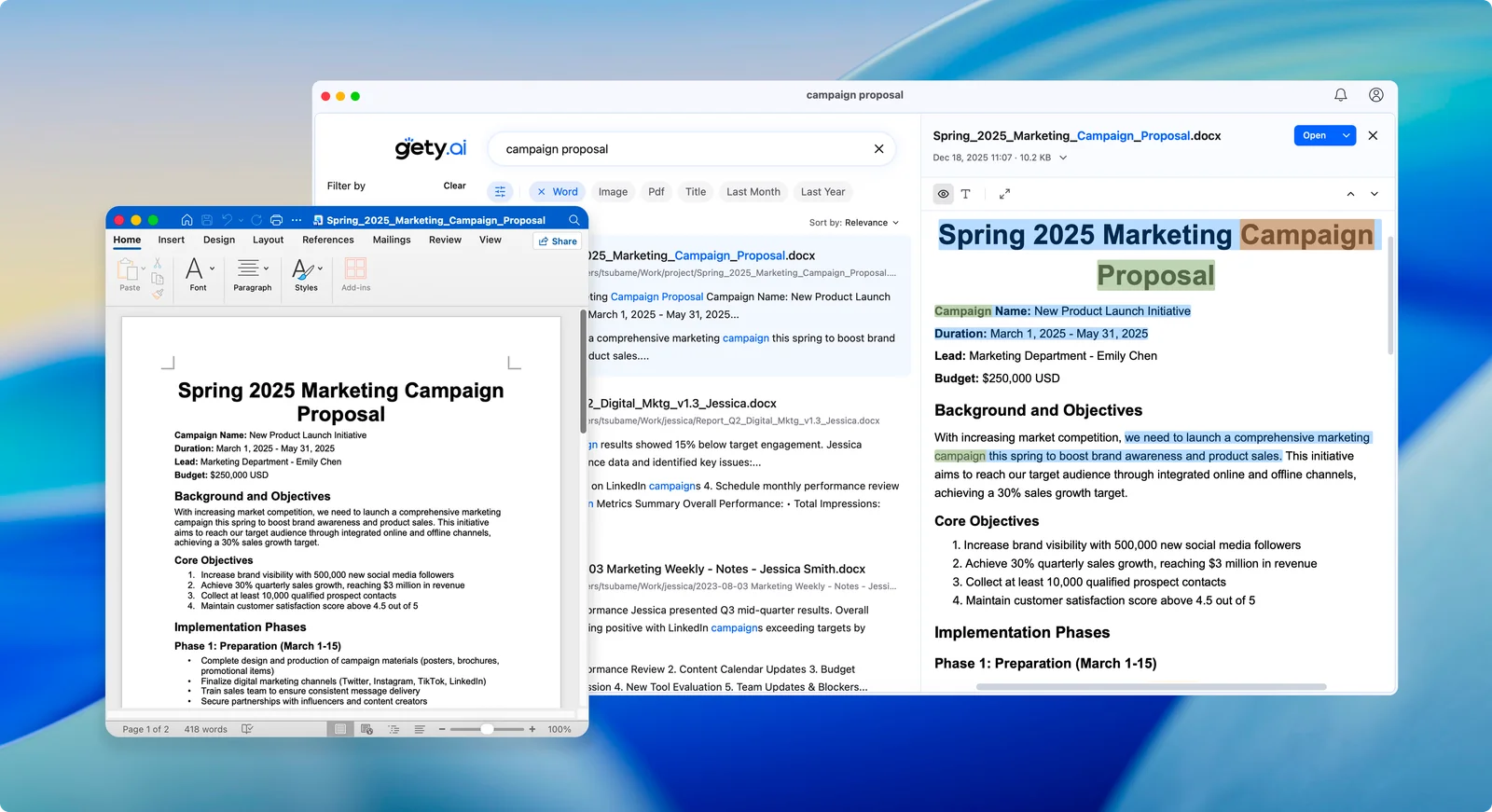
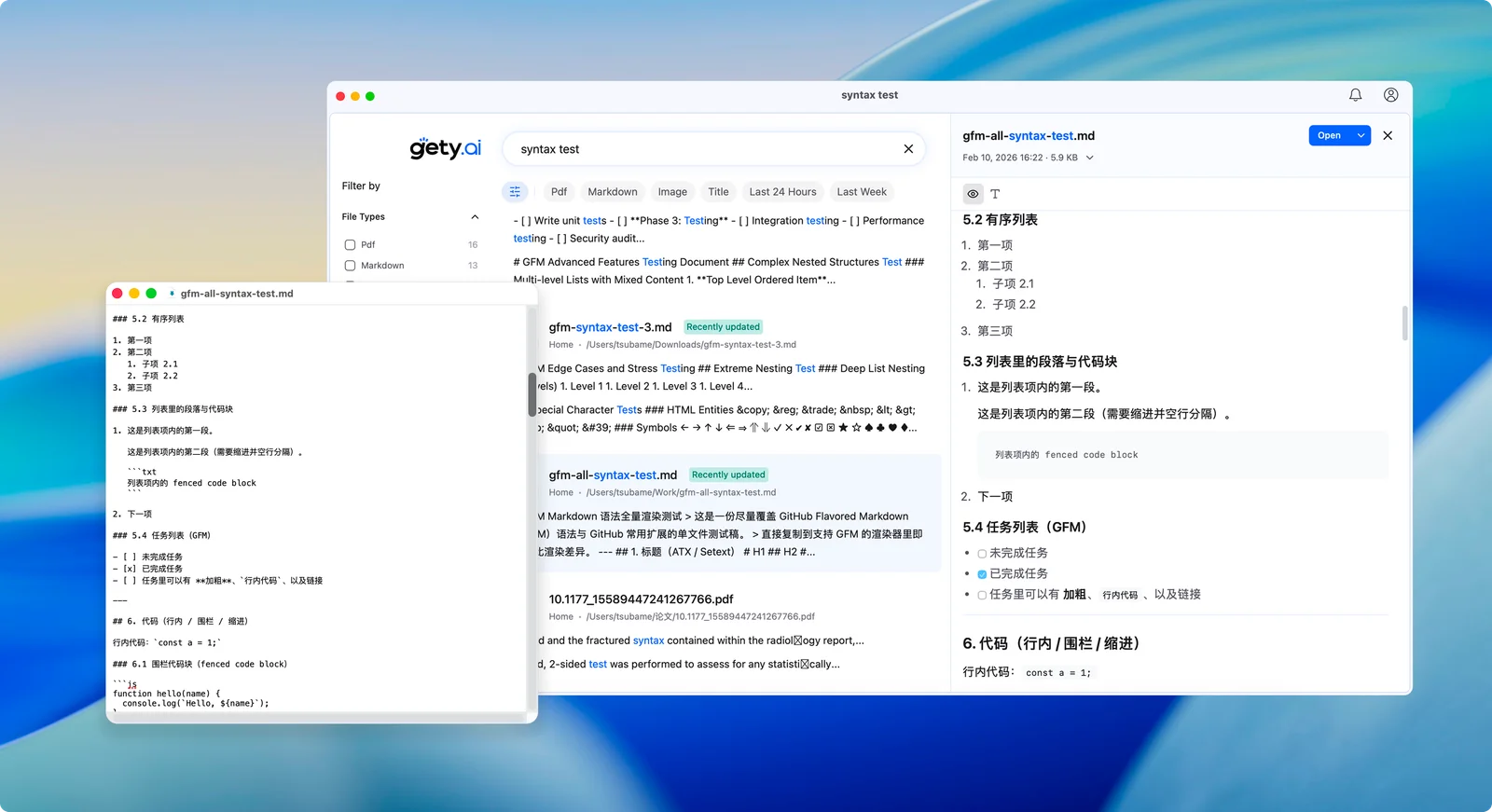
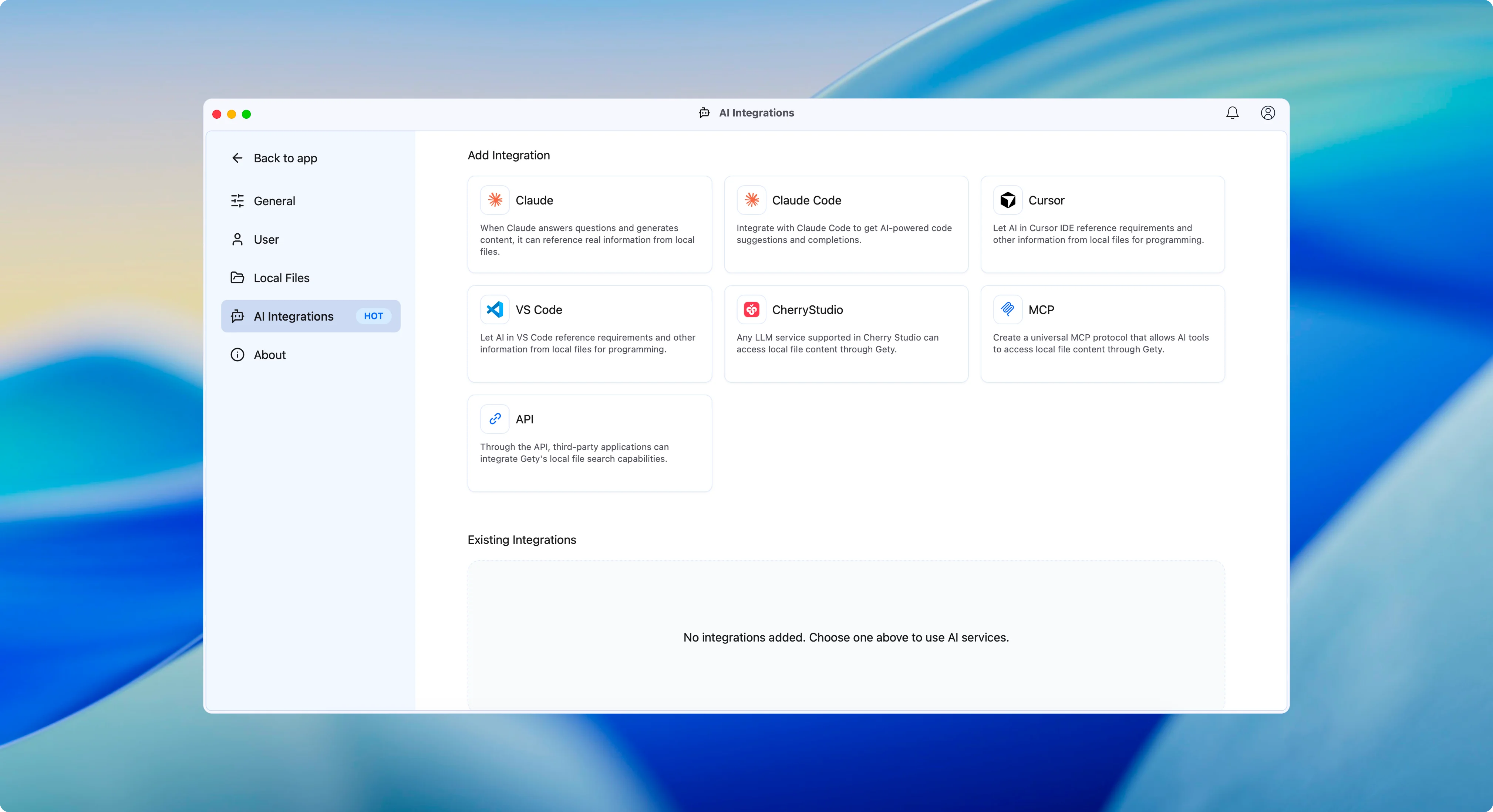
This update brings significant enhancements across the board: we’ve introduced original file preview for Word & Markdown with keyword highlighting and one-click navigation, heavily optimized our underlying Embedding model for 30% better semantic understanding, and expanded our MCP one-click configuration family to include Claude Code and VS Code support.
Say goodbye to plain text with no formatting. You can now preview the original files directly, with support for keyword highlighting and one-click jump, making document viewing more intuitive and efficient.
We’ve heavily optimized our underlying Embedding model. Performance is up by 30%, making it much better at understanding exactly what you’re looking for.
Our “one-click family” is growing! We’ve added easy setup for Claude Code and VS Code, seamlessly integrating Gety’s powerful search capabilities into your development workflow. Now supports finding Connectors by name, making it easier for LLMs to work.
v0.4.2
January 20, 2026
v0.4.1
January 19, 2026
Major Update
v0.4.1 is a comprehensive update built from the ground up. We’ve integrated our new custom-built OCR engine for superior accuracy, rebuilt the core architecture to boost AI semantic search speeds by 10x, and introduced a refreshed UI with enhanced PDF capabilities.
Powered by our new in-house OCR engine, offering significantly improved accuracy and speed. Now supports text recognition within PDFs, with seamless text selection and copying.
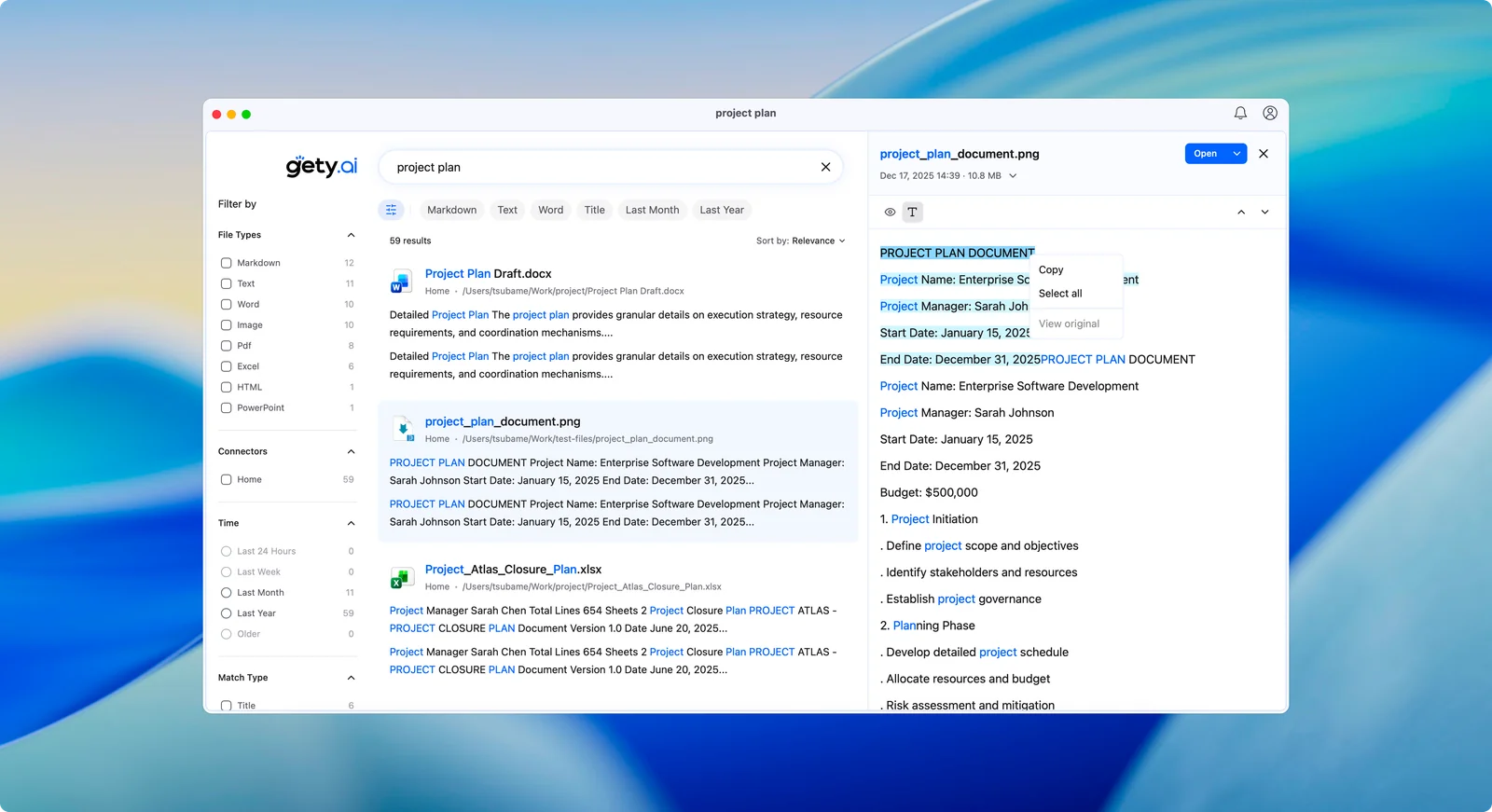
A complete UI overhaul featuring a modern design language and responsive layout. Includes a dynamic “wave” homepage, an immersive search panel for smoother interactions, and full Dark Mode support.
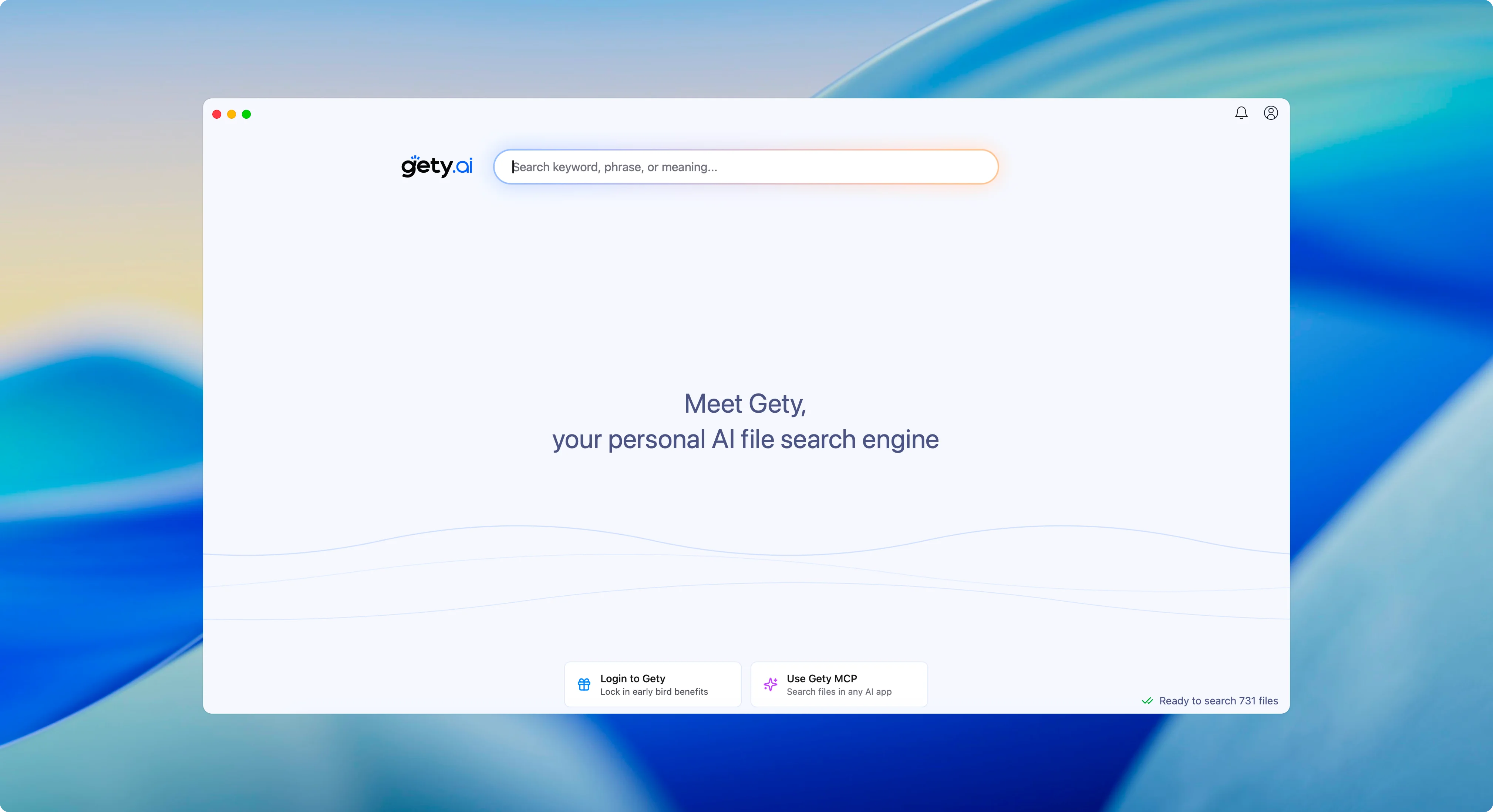
PDF previews now highlight keyword matches for quick navigation. Both Preview and Text modes support synchronized scrolling, allowing you to select and copy OCR-recognized text directly.
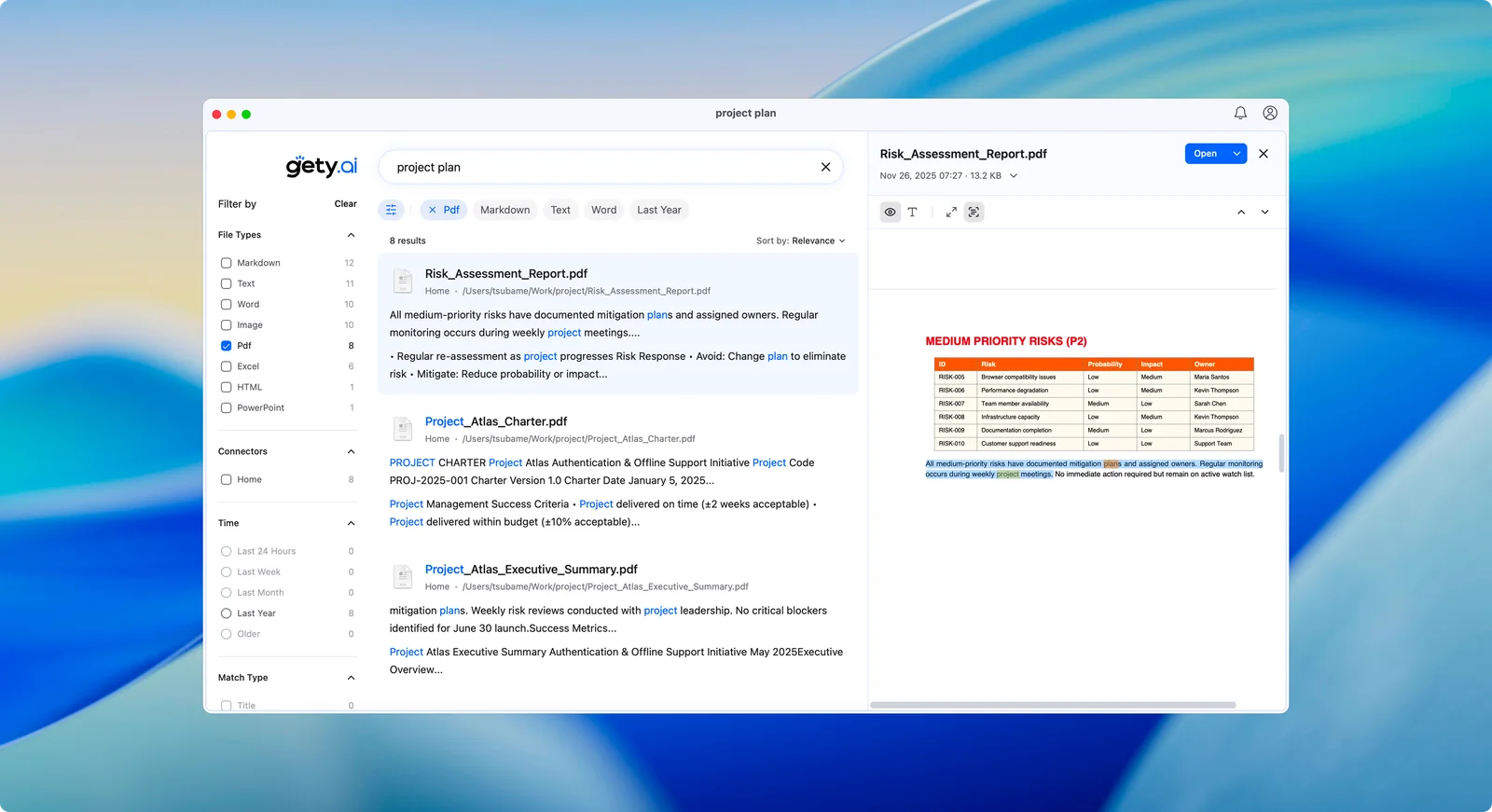
AI semantic search is now 10x faster. We’ve also refined our snippet generation algorithm to provide smarter, more accurate result excerpts.
v0.3.7
October 12, 2025
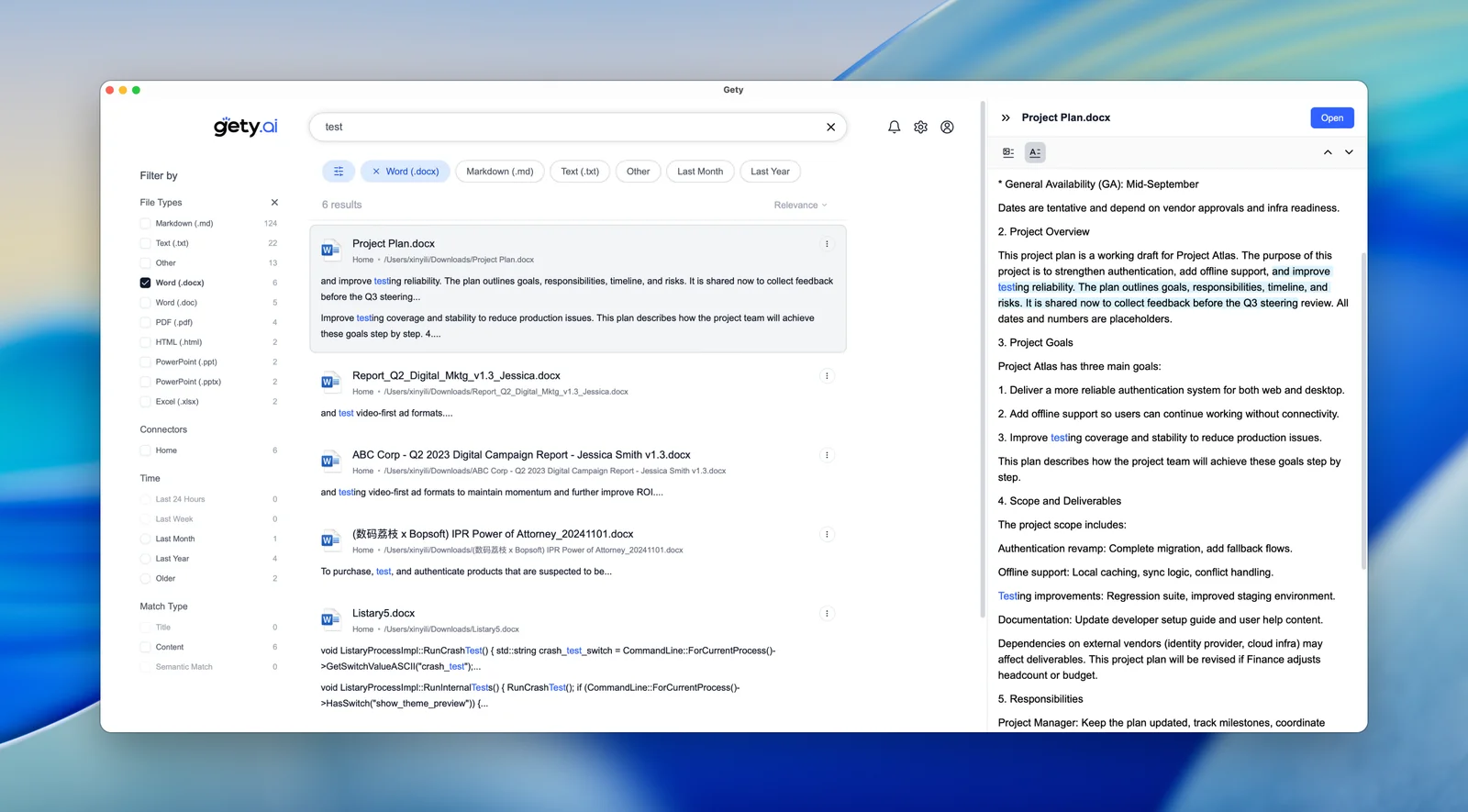
This release introduces the most requested feature — Advanced Filters. Now you can quickly narrow down search results by file type, data source, time range, and match mode, making it easier than ever to find exactly what you’re looking for.
v0.3.6
September 17, 2025
Version 0.3.6 brings powerful new features to enhance your workflow, including the ability to open containing folders directly from search results, rebuild indexes on demand, and track your search usage with built-in statistics.
v0.3.5
September 1, 2025
This update expands file format support with Excel search capabilities, improves MCP integration for better AI model compatibility, and delivers significant performance enhancements to the indexing engine.
v0.3.2
August 12, 2025
Major Update
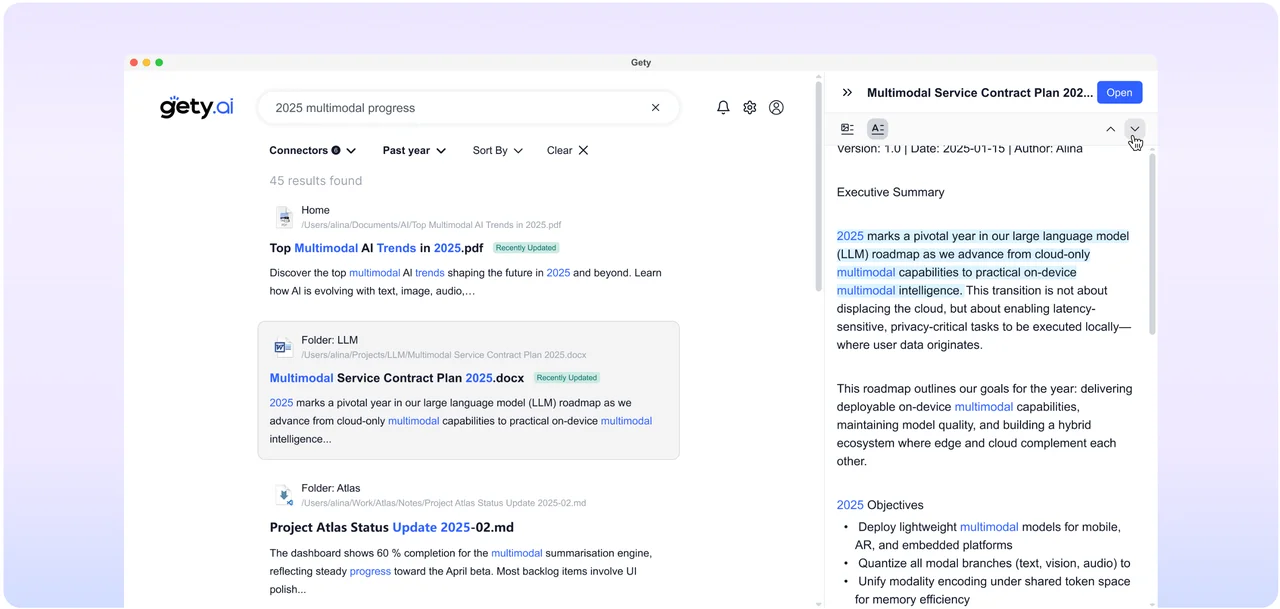
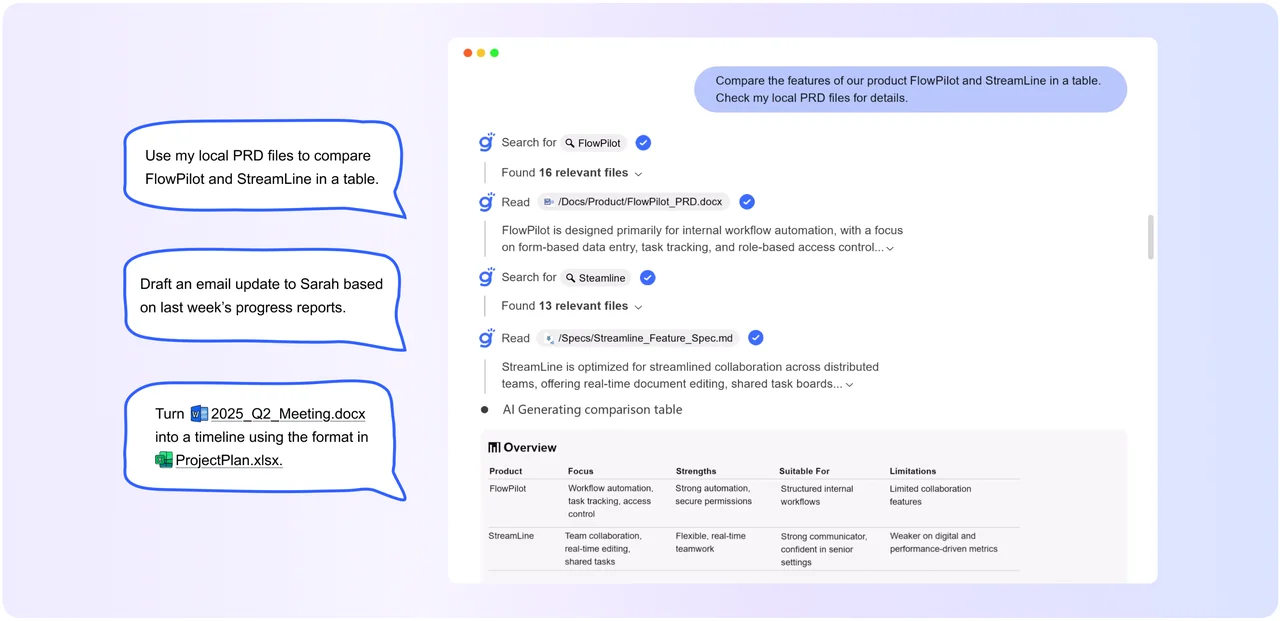
Gety 0.3.2 represents a major milestone in our vision to build the next-generation search engine for the AI era. This release combines lightning-fast local search with powerful AI integration capabilities, offering two core features that work seamlessly together:
If all you need is a great file search tool, Gety has you covered — delivering a Google-like local search experience right on your desktop.
This is where it gets exciting. Gety can securely share your local files with large language models only when you approve, making their answers more accurate, grounded, and actually useful.
Learn more about AI Integration: https://docs.gety.ai/mcp
v0.2.0
May 23, 2025
Major Update
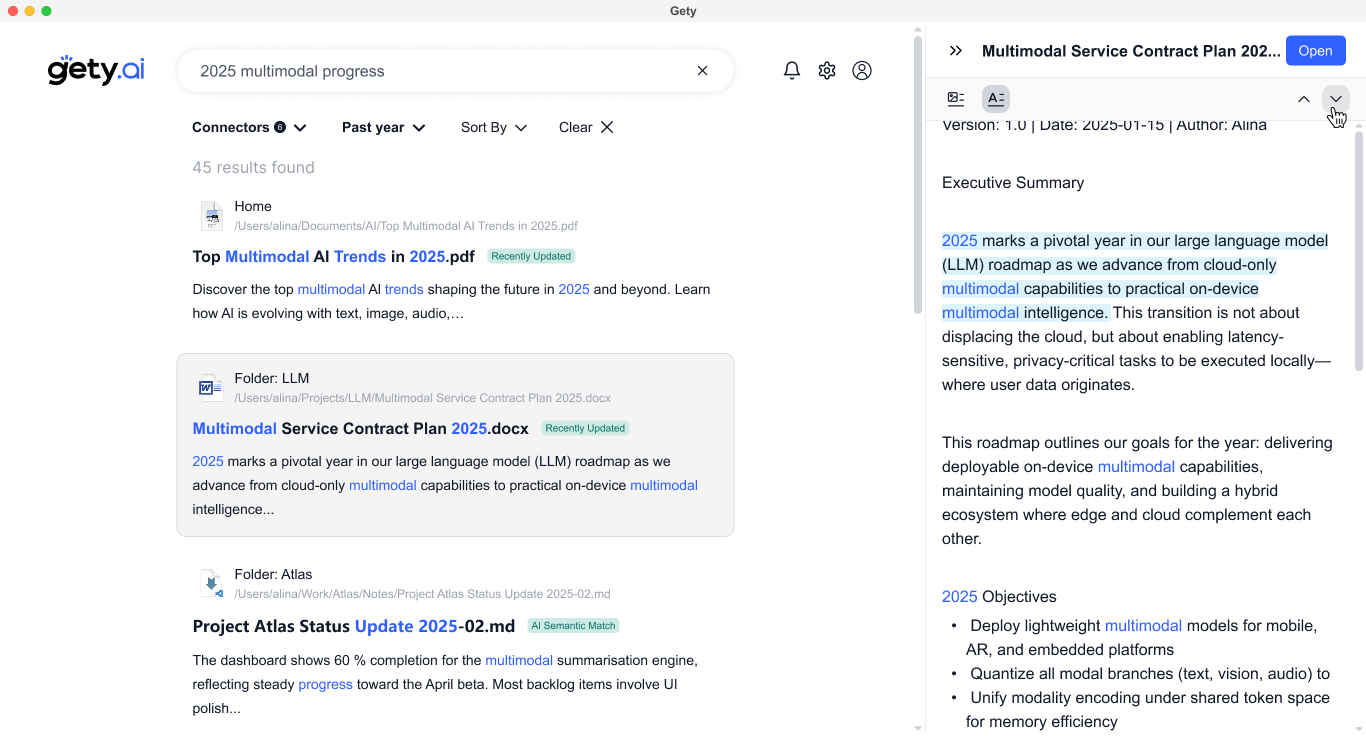
This release brings major improvements across the board — from a smoother UI to smarter responsiveness. We’ve fixed critical bugs, enhanced stability, and made Gety more enjoyable to use every day.
v0.1.8
January 21, 2025
We’ve rebuilt some of the underlying code to completely resolve the crashing issues. If you’ve experienced frequent crashes, you can download this version and give it a try.
v0.1.4
January 5, 2025
⚠️ Note: Some crash issues are still being worked on. If you continue to experience crashes, hang tight – they should be addressed in the next update.
Thank you for your patience and support!
v0.1.3
January 4, 2025
If you’ve been experiencing crashes, definitely grab this update! While it won’t fix all crash issues right away, it’ll help us track down and fix them much quicker.
v0.1.2
January 3, 2025
Thank you for your patience and interest in our vision of a private, AI-powered search experience.
The first version of Gety is ready for you to try! We’ve built Gety with a clear mission: to create a powerful bridge between your personal digital world and AI capabilities, while keeping your data completely private and local.
🌟 Gety lets you search file contents just like Google – and with the same speed and efficiency you love from Listary.
🌟 You can connect not just folders, but also clipboard, Twitter bookmarks, browser history, or even your databases using custom Python scripts.
🌟 One feature I’m particularly excited about is Gety’s integration with Claude. You can now leverage AI to work with your local data in entirely new ways.
This is just the start, and we’re working hard to make Gety faster and smarter. I’d love to hear your feedback!
Thank you for being part of this journey!